Download Class Results to a Problem
Some McGillX courses use problems to survey the class. They offer greater variety of answer format in contrast to polls. Answers to these surveys as sometimes collected and displayed to the class.
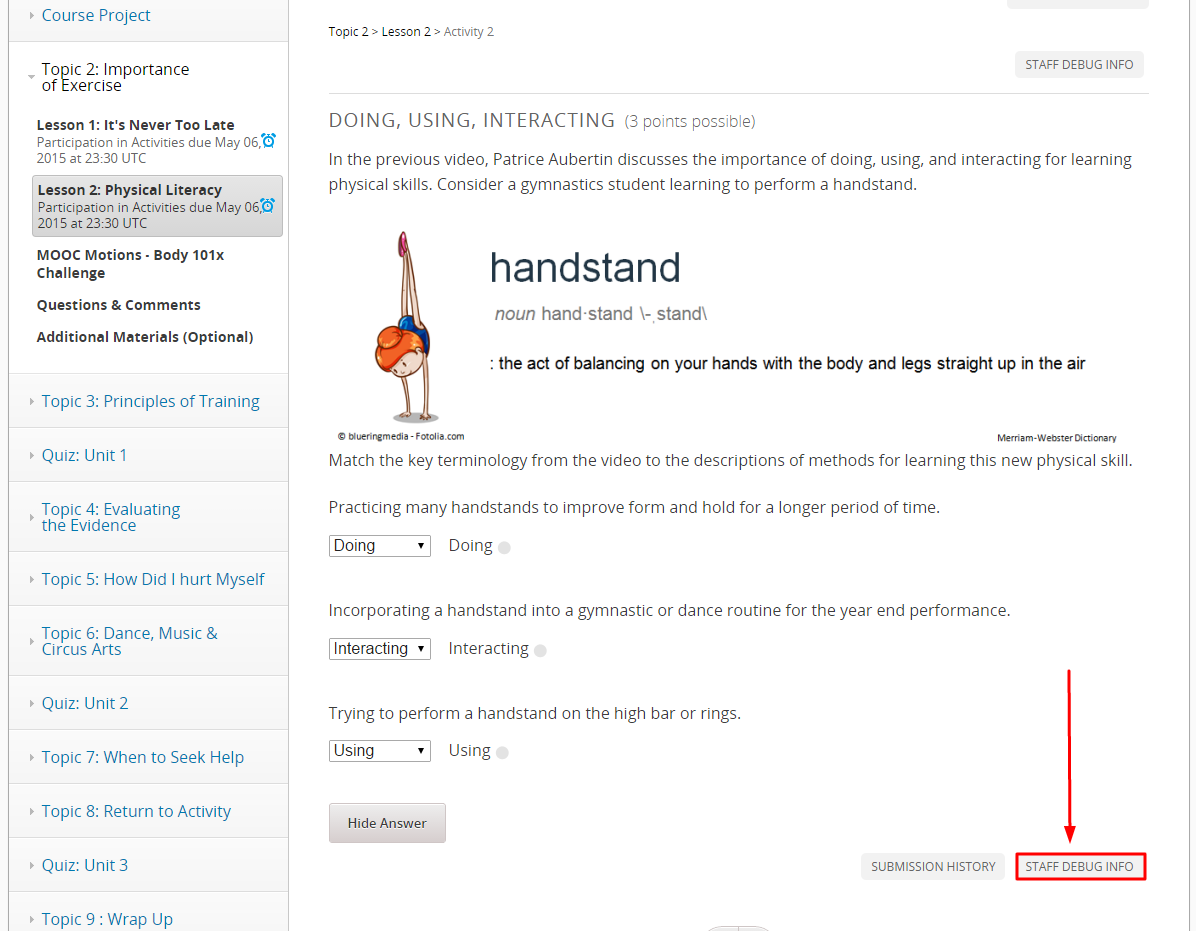
- Find the problem location in the courseware.
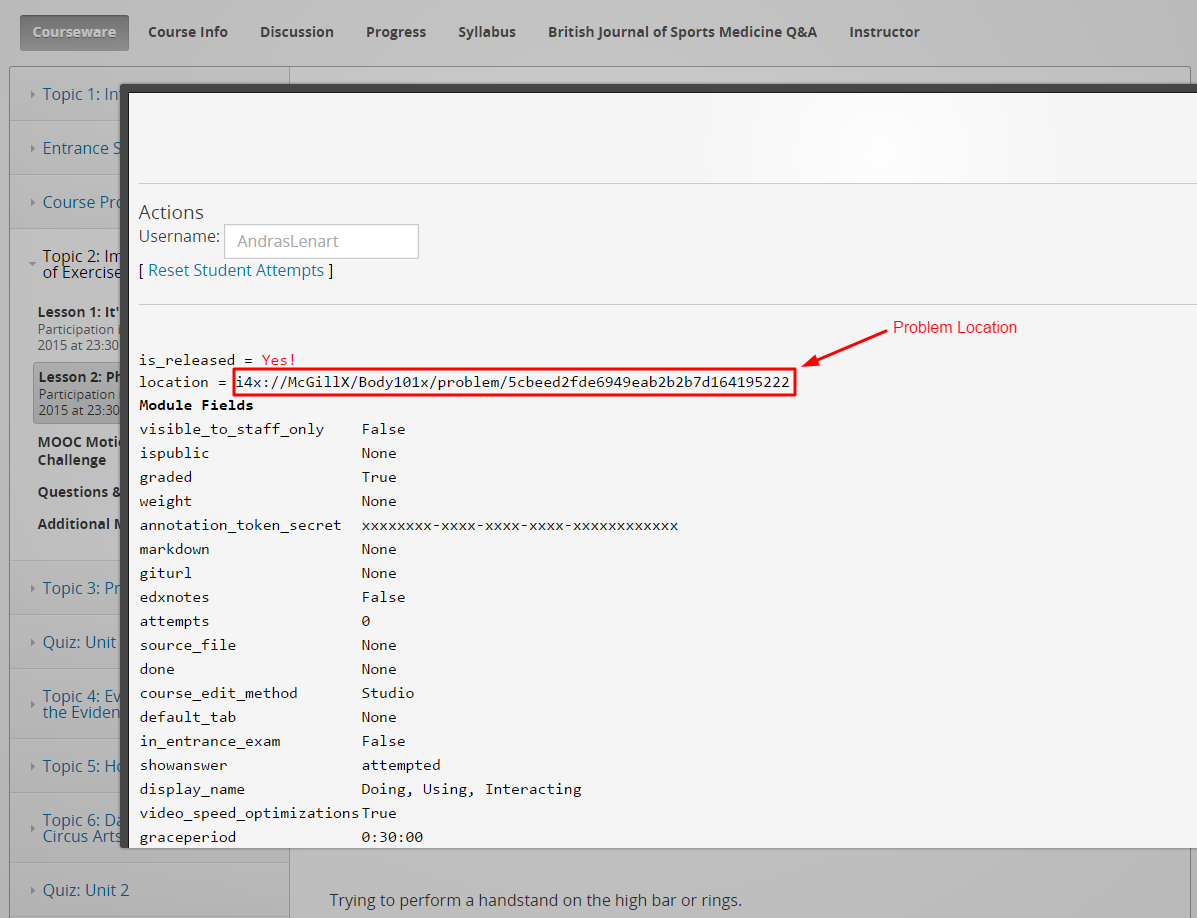
- Click STAFF DEBUG INFO, and note the location.
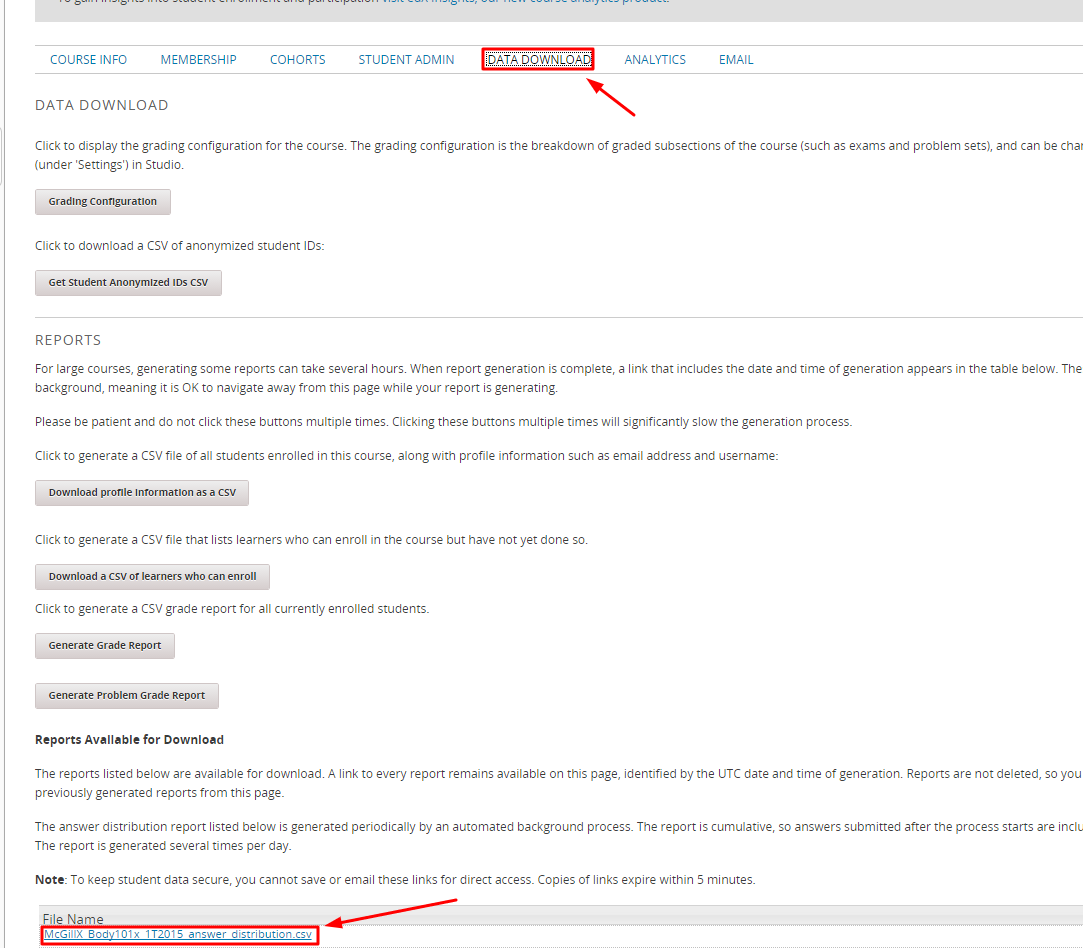
- Then go to the Instructor tab, click DATA DOWNLOAD, and click answer_distribution.csv.
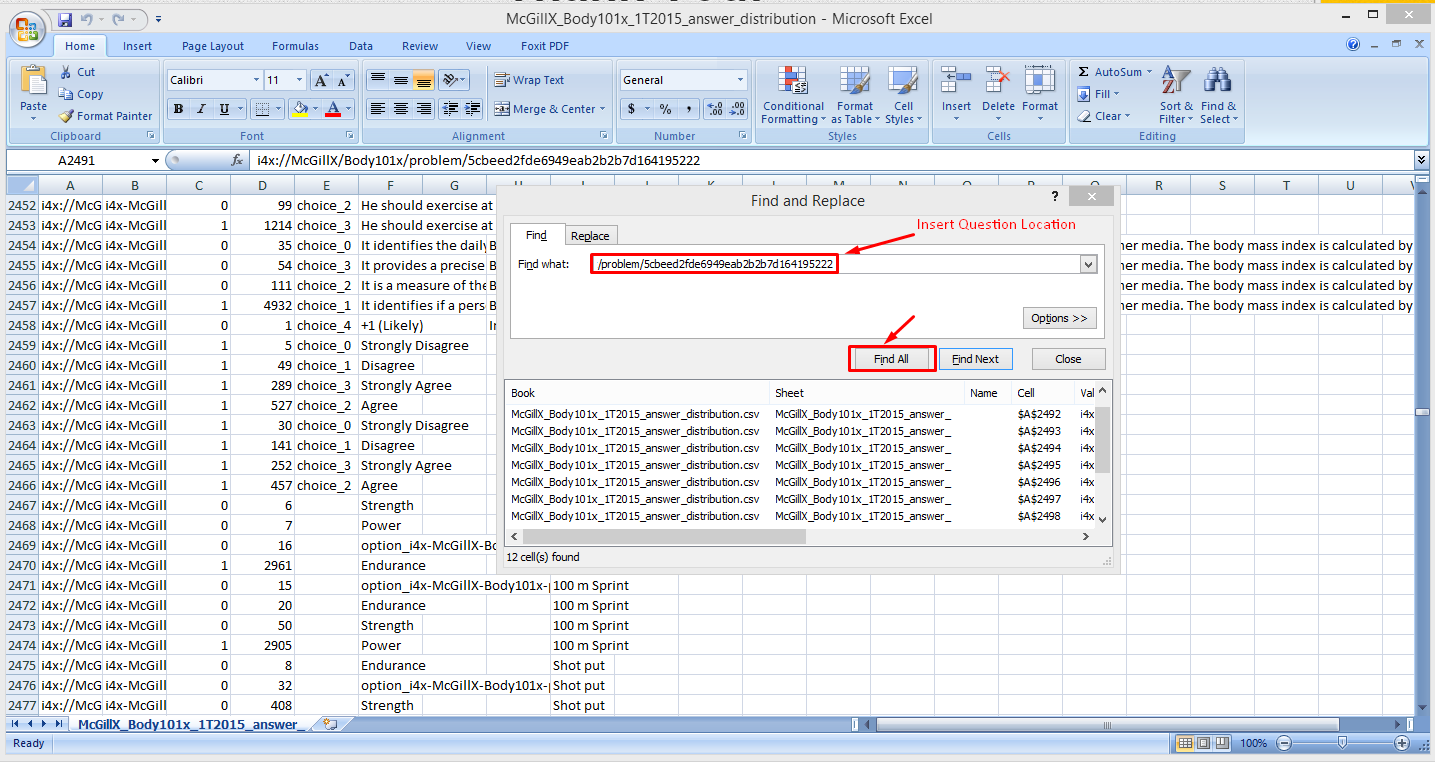
- Open this downloaded file, and use the search function to find the problem location you found in the STAFF DEBUG INFO.